Outdated Penang Uncle

Showing posts with label IE8. Show all posts

Wednesday, May 30, 2012

Facebook Timeline Remover

Facebook Timeline, like it or hate it, it is here no matter what you think. While most of the Facebook users has been forced to change to Timeline, some still at older Facebook interface. I am lucky that my personal Facebook page still using old Facebook interface, while this blog's Facebook Page has been forced to change to Timeline not too soon after it was being setup.

TimeLineRemove is something you can try if you want to get rid of the TimeLine for now. What actually happen in background is timeline still being loaded, but TimeLineRemove change the look of the TimeLine to become old and good Facebook interface. So you can look at your friend's Facebook profile on old Facebook interface.

TimeLineRemove is available for FireFox, Chrome, Safari and Internet Explorer. All you need to do is go to it's website and install the add-on or extension (allow permission if needed), reload the Facebook and then you are on old and good Facebook interface.
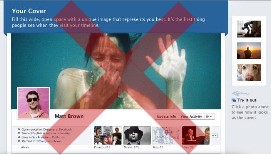
picture source: http://www.timelineremove.com/

To disable Facebook TimeLine, visit this link and download the add-on/extension:
http://www.timelineremove.com/


Like this if you are FB user and you think this post is useful. The button is at top right of content of this post.
+1 this post if you are Google+ users and you think this post is useful.
Hope you will enjoy this post, subscribe to my RSS or mailing list or follow me on blogger or twitter. :)
source: http://www.timelineremove.com/

Thursday, August 25, 2011

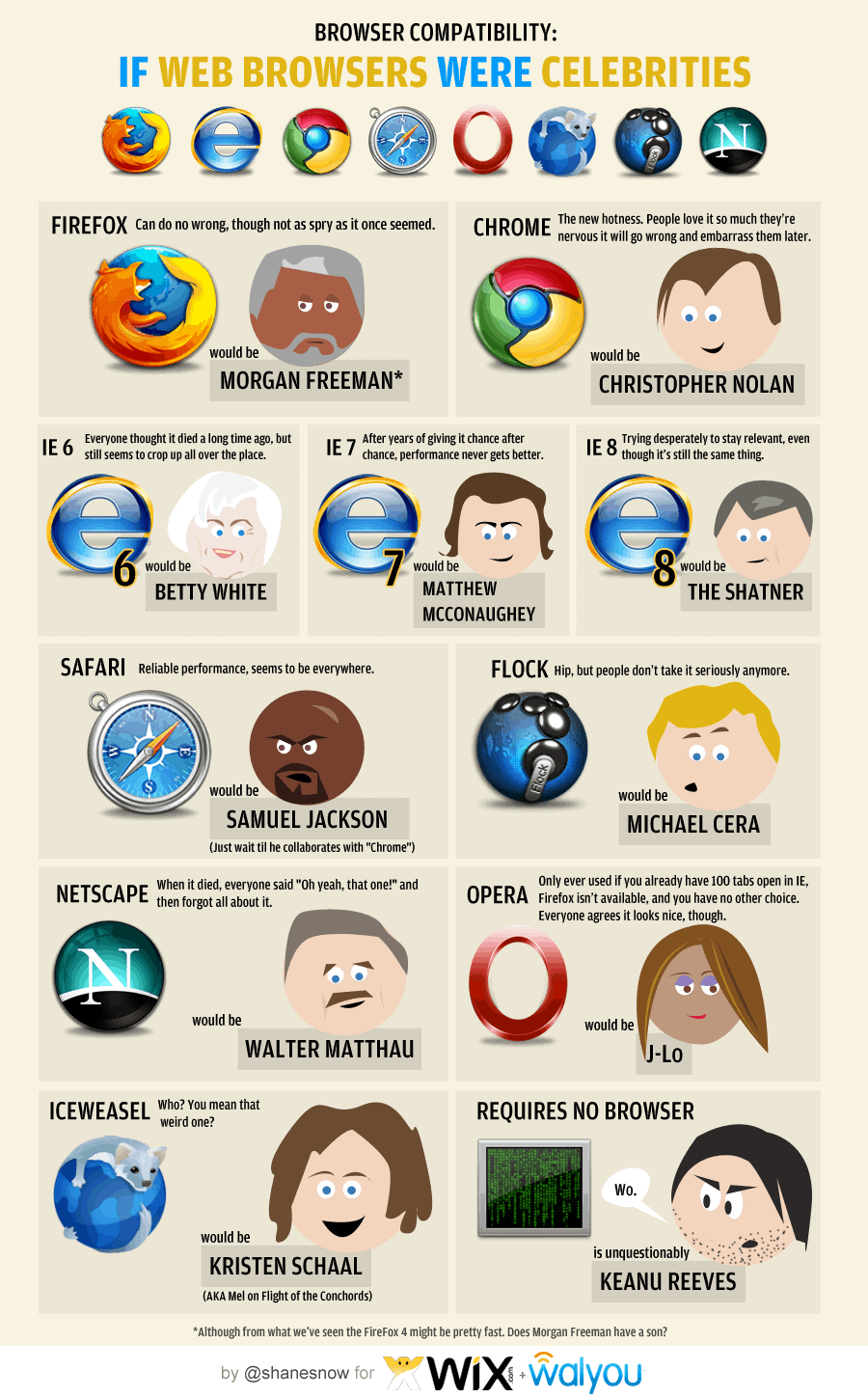
What if Web Browser were celebrities

Running a series sometime can be very boring. So to break away from rare keyboard layout series for temporary, I found an interesting infograph regarding web browser. I had run a series of rare browsers last year, click this link to see them.

I use a few web browsers everyday. Here is the list in usage chronology:
1. I use FireFox the most, I tried to move to Chrome some time back, but seem likes Chrome does not fit into my need yet. I like Firefox because of the add-on, but there is one add-on the FireFox don't have but Chrome has, that is Angry Birds! I am using FF5 btw.
2. The second most browser that I use is Chrome, part of it is Angry Birds add-on or Chrome apps to be exact. Another one is the Anti-like apps for Chrome, which I use it to view those pages that locked with Facebook like button, why do we need to like it first before we can read it?
3. The third one has to be IE, duh. I have to use IE in the company that I work with because some in-house tools still need IE.
4. No.4 should be Rockmelt, because of Facebook. Boy, I am so hardworking, coz I seldom login to Facebook. :P
5. Safari is No.5, because I use it just because I feel that I want to use it. But somehow I don't have that feeling a lot. Hence it is at No.5. :D

Okay, now to relate the web browser with celebrity. I like the last one, which is Keanu Reeves. And yes, Samuel Jackson is seems everywhere. :D
Click on the image to see it in full size.

Have a nice day!

Hope you will enjoy this post, subscribe to my RSS or mailing list or follow me on blogger or twitter. :)
source: infograph from http://dailyinfographic.com

Thursday, October 8, 2009

Running IE8/7/6 or Firefox3.5/3/2 or Safari4/3 or Google Chrome or Opera10/9 without installing them

Running software without need to install is getting more popular, well, at least I like it, very much, very very much. Because there will be no hassle or worry if want uninstall it. Sometime some software are too stubborn to be remove even though you use the “legal” uninstall process that come with the software. I have been using some software that just can be run from a thumb drive, it is kinda cool coz I could run them on almost all desktop/laptop as long as the OS support them. :)

I found this thing call “Browser Sandbox”few days ago. It actually available since Q1 2009 by a company that famous in virtualization technology called Xenocode. It is not 100% no-installation yet, you still have to install the sandbox for the first time, so that you can launch the browsers from the webpage.

What you need to do is to go to the webpage (link at below), click any of the browser you want to use, install the sandbox for the first time. (I think there was 2 stuffs you need to install, but I might be wrong). After sandbox being install, it will start to load the browser from the server. So it will depend on the network speed, I would not do it at my home, because I am OutdatedPenangUncle that uses the very famous (and always down) Streamyx and the most I get is 512k (actually is 64kbytes, coz 512k is in bits)…… Okay okay, I am too stingy not to upgrade to 1M or 2M, 512k is enough for normal surfing.

The process:

Anyway, I can run IE8, IE7 and Opera10 at same time with the sandbox. I have these below installed, so don’t bother to try on the sandbox:
1. The very outdated IE6 that came with the Windows (many links in my company still have to use this guy)
2. The very updated Firefox3.5.3 (the most use)
3. The long time no use Safari4 beta (coz I fall in love with Firefox…ooppssss, Honey, this kind of love is not the same love that I have with you ya :P)
4. The long time no use Chrome (this guy is too slow, going to uninstall it)
5. and yes, Maxthon (this guys is not a real browser, it just use which ever IE engine in your window, the usage come back up due to a web that still have to use either IE6 or this)

Opera10, IE8 and IE7 in action, the background is the sandbox webpage:

Why need to open so many type of web browser you might ask, because I am a geek, I just want to try out. But I don’t want the trouble to uninstall them in case I don’t like it. Also IE6/IE7/IE8 wouldn’t co-exist if you choose to install any of the newer version.

Oh ya, not to forgot the link to access the page to launch it
http://spoon.net/Browsers/