This picture has been forwarded and shared world wide with almost 600k views (as of this post being written), a prof in uni/college showed this picture to a class.
Personally, that is the truth of how enzyme should works. :)
LOL. Have a nice Friday and weekend.
Like this if you are FB user and you think this post is useful. The button is at top right of content of this post.
+1 this post if you are Google+ users and you think this post is useful.
Hope you will enjoy this post, subscribe to my RSS or mailing list or follow me on blogger or twitter. :)
source: http://www.reddit.com/r/funny/comments/sryyl/my_gfs_prof_showed_this_to_the_class_not_sure_if/
Update every month from http://outdatedpenanguncle.blogspot.com/
Outdated Penang Uncle
Showing posts with label picture. Show all posts
Thursday, April 26, 2012
Tuesday, July 5, 2011
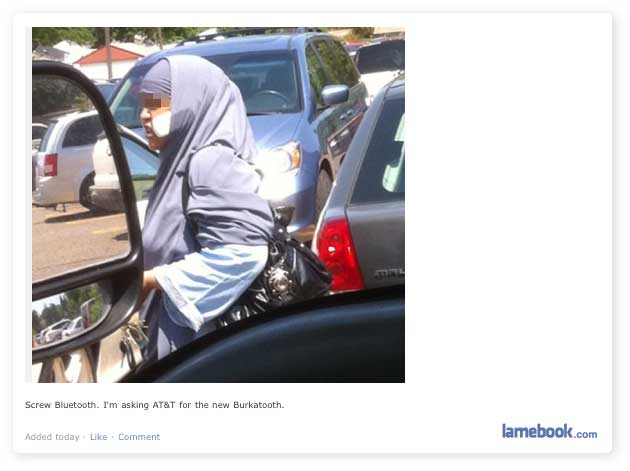
Bluetooth is outdated technology
Is Bluetooth
going to be an outdated technology? Yes, why you need bluetooth
when you can do this, see picture below. :D
Hope you will enjoy this post, subscribe to my RSS or mailing list or follow me on blogger or twitter. :)
source: lamebook.com
Hope you will enjoy this post, subscribe to my RSS or mailing list or follow me on blogger or twitter. :)
source: lamebook.com
Thursday, March 24, 2011
Who sells the most handset/handphone?
Who sells the most handset or handphone (can be smartphone or dump phone :P ) from 2001 to 2010?
Vision Mobile has gather some information and put it into a nice picture call infographic. Surprisingly (to me), Nokia still the top selling phone, this could be because of Nokia has very wide range of phone (a lot of dump phones!) and it market to lower income country. Siemen and Motorola has been kick out of top 5 in recent years. Click the picture to see it in full size if it looks too small on your screen.
What brand of phone have you used? Or do you still using your very first phone? Tell us. :)
Hope you will enjoy this post, subscribe to my RSS or mailing list or follow me on blogger or twitter. :)
Source: http://www.visionmobile.com/blog/2011/03/top-5-handset-oem/
Vision Mobile has gather some information and put it into a nice picture call infographic. Surprisingly (to me), Nokia still the top selling phone, this could be because of Nokia has very wide range of phone (a lot of dump phones!) and it market to lower income country. Siemen and Motorola has been kick out of top 5 in recent years. Click the picture to see it in full size if it looks too small on your screen.
What brand of phone have you used? Or do you still using your very first phone? Tell us. :)
Hope you will enjoy this post, subscribe to my RSS or mailing list or follow me on blogger or twitter. :)
Source: http://www.visionmobile.com/blog/2011/03/top-5-handset-oem/
Friday, January 29, 2010
How To Put Picture Side by Side in Blogspot or Blogger?
Hi blogger out there, sometime we have pictures or photos to insert into our blog posting, however you should noticed that the pictures or photos cannot be placed side by side, and I did try to changed the setting during uploading the pictures to blogger, but it didn't help at all! After some googling, I found out that the option to place pictures side by side is not available in control panel for unknown reason. The easy part is to do HTML coding. 'HUH? how am I going to do that?!' you might have this thought, don't worry, this is very easy. For those already have experience with HTML, this is piece of cake! You can either use free image hosting site or upload the picture first to blogger and then make the HTML code changes, your choice.
Okay, lets go do it!
Method one - host your image from image hosting site
Step 1
Go to your blogger dashboard and create post, usually it will automatically in Compose mode. Click on HTML tab to see in HTML mode, it is because the Compose tab. It is at the right hand side, just above the tool section.
Step 2
Copy and paste the following code into the HTML tab:
Replace the "insert your picture/photo link here" here with your own link.
Example:
Step 3
Now you can check the images by clicking on the Compose tab. Or use the Preview link, which is just below the Compose tab.
Method two - host your image from blogger/blogspot
Step 1
Same as Method one stated above, but instead of uploading the photo to image hosting site, upload the photos/pictures to blogger first. Go to HTML tab, you will find some code looks like below:
Step 2
Copy the link right after the first "href="" until the next """ and put it into the table that I showed in Method 1.
Note:
1. It is always good to insert the pictures/photos first and then write your blog post, because it can be very tricky to look at the HTML code once you have start writing it.
2. It can be quite confusing, especially if you are not familiar with HTML, and errors can make the whole post unreadable, so please help yourself by start with inserting photos/pictures first and then compose the post.
3. A few time of trying definitely will get yourself more familiar.
Finally, publish your post!
Good luck! :-)
Hope you will enjoy this post, subscribe to my RSS or mailing list or follow me on blogger or twitter. :)
Okay, lets go do it!
Method one - host your image from image hosting site
Step 1
Go to your blogger dashboard and create post, usually it will automatically in Compose mode. Click on HTML tab to see in HTML mode, it is because the Compose tab. It is at the right hand side, just above the tool section.
Step 2
Copy and paste the following code into the HTML tab:
Replace the "insert your picture/photo link here" here with your own link.
Example:
Step 3
Now you can check the images by clicking on the Compose tab. Or use the Preview link, which is just below the Compose tab.
Method two - host your image from blogger/blogspot
Step 1
Same as Method one stated above, but instead of uploading the photo to image hosting site, upload the photos/pictures to blogger first. Go to HTML tab, you will find some code looks like below:
Step 2
Copy the link right after the first "href="" until the next """ and put it into the table that I showed in Method 1.
Note:
1. It is always good to insert the pictures/photos first and then write your blog post, because it can be very tricky to look at the HTML code once you have start writing it.
2. It can be quite confusing, especially if you are not familiar with HTML, and errors can make the whole post unreadable, so please help yourself by start with inserting photos/pictures first and then compose the post.
3. A few time of trying definitely will get yourself more familiar.
Finally, publish your post!
Good luck! :-)
Hope you will enjoy this post, subscribe to my RSS or mailing list or follow me on blogger or twitter. :)
Labels:
blogger,
blogging,
blogspot,
hosting image,
HTML,
photo,
picture,
side by side,
tutorial
Subscribe to:
Posts (Atom)